Skip to content

Beauty Box Photo is a Smash!

Beauty Box Photo has been out for only a few weeks now but we’re really excited by the response from people and the press about it. Angie Taylor gave a great review on her blog, Creative Pro Therapy, as well as Diane Berkenfeld on her blog, Picture-Soup.com.

The example above shows one before/after image with only a little skin correction needed. The example below shows a more extreme example of skin smoothing. The plugin is great for both kinds of situations because it always gives a natural look.Beauty Box Photo is a Smash!

Toonit! Photo 2.6 – 64bit/CS5 Update Released!

We are so happy and excited to announce the releasing of Toonit! Photo 2.6 which is compatible with 64bit and CS5! The best part about it; it’s FREE if you already own the product. Go to this Update Page to get the instructions on how to do a fresh install. If you haven’t purchased Toonit! you can now get it for $89 until July 18!

After Toonit! Photo has been applied.

(After Toonit! Photo has been applied)

Original image before Toonit! Photo is applied.

(Original image before Toonit! Photo has been applied)

This is just the first in many more 64bit and CS5 updates to come. Here’s are run down of when you can expect these updates for our other products:

Toonit! Photo 2.6 – 64bit/CS5 Update Released!

Pencil vs Camera and ToonIt!

  • by

I came across this great photo series on Flickr, entitled Pencil vs Camera by artist Ben Heine. It is always interesting to see how different mediums can be combined, especially when it comes from reality (photos) and imagination (drawings). Ben used a traditional method to do his sketches. All the graphic elements shown come from his own stock/production. He drew the sketches, took the photos, and edited them.

©Ben Heine

©Ben Heine

Here at Digital Anarchy we have always been a big supporter of how illustrations can play a role within photography. Our plugin ToonIt! Photo lets you create cartoon effects, like shading and lines, from your own photographic images. Learn more about ToonIt! Photo here.

I had a few extra moments to play with the Pencil vs Camera concept using my own images and ToonIt! Photo. I shot these photos in Santa Cruz, CA on a very overcast day about two years ago. I would have liked to have a more pleasing sky but you can’t always get what you want, right? Here are the results:

Pencil vs Camera and ToonIt!

Keeping A DSLR Steady For A Video Shoot?

Ever since they started shooting motion pictures one of the biggest questions have been… How do you keep the damn camera steady? And what do you do about it if it’s not? If you’re a photographer just getting into shooting video with your DSLR, you’re likely to have the same questions. I’ll give you some answers to the first question and a few tips on dealing with the second.

While a shaky camera can be used, on rare occasion, to good effect… it’s usually something to be avoided. More often than not, it just means your watching a B horror flick and the owner of said shaky camera is about to be bitten in half. Hopefully we can get you shooting stable video so as to insure you are not similarly attacked by creatures that are aggravated by shaky video.

So… how do you avoid such a fate?

Keeping A DSLR Steady For A Video Shoot?

ToonIt can glam your friends!

  • by

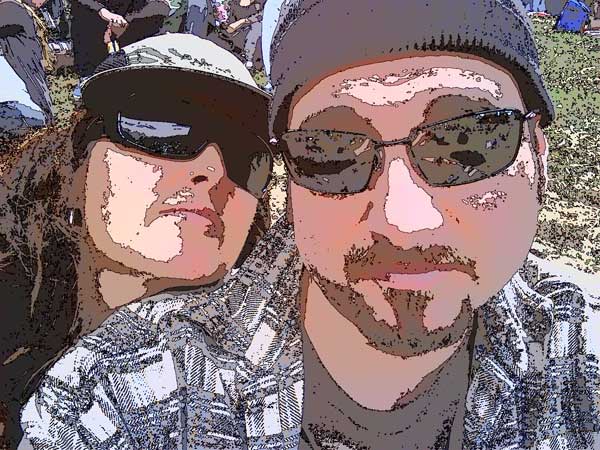
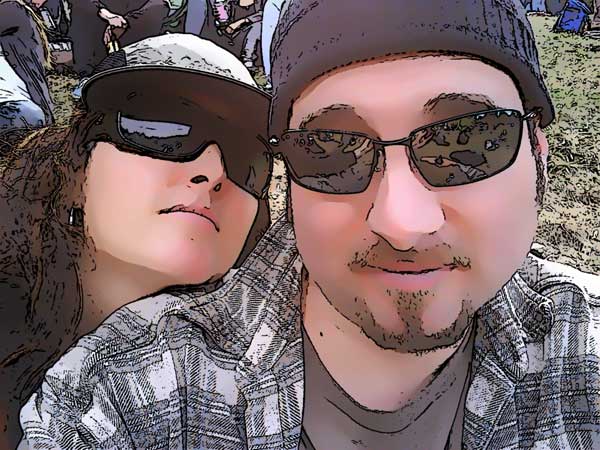
Working for a software company can be very fun, especially when I am able to use the software for good (aka personal) purposes. In this case, I saw a friend post a photo of herself and her boyfriend in her Facebook profile. She titled it ‘Pamela & Graah as a cartoon’ and I thought, “harumph”.

Not by ToonIt!:

081309_pamgraah-camsm

The image shown above was converted to a crappy cartoon by the Photo DJ function in my friend’s camera. It’s just a glorified postorization. I immediately IM’ed my friend and asked her to email me the original photo. She did. I ran the photo through ToonIt’s default settings and 35 seconds later, Pamela and Graah were properly tooned.

Cartooned by ToonIt:

081309_pamgraah-toonsm

ToonIt can glam your friends!

Cheerleading practice with Shawn Wright

  • by

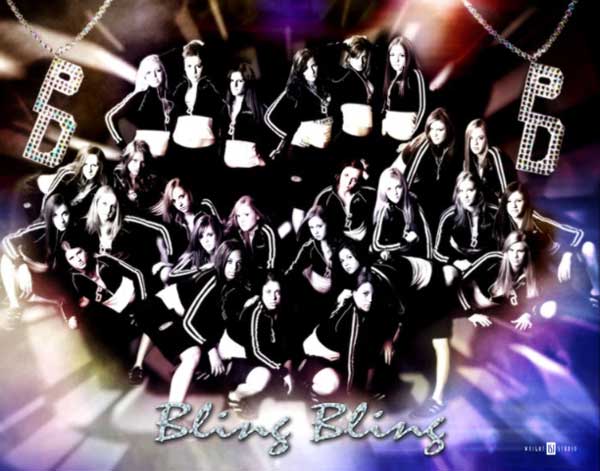
Digital Anarchy recently added a great photographer to our Primatte Chromakey gallery. His name is Shawn Wright and he runs Wright Studios out of Indiana, USA with his wife Betsy.

Shawn is a photographer of all talents and trades. Not only does he specialize in many subjects — high school seniors, industrial product shots and sports teams, to name a few — but he also runs photography seminars. More info on his company site, www.wrightstudio.us.

073009_shwright_prim
Cheerleading practice with Shawn Wright

Celebrities of LENNON the Photographer, Part II.

  • by

LENNON the Photographer has given us terrific celebrity images that he creates, in part, with our Adobe Photoshop greenscreen plugin, Primatte Chromakey. A year after we first talked to LENNON about his work, he contacted us with more high-profile photography. There is a **gorgeous** shot of Gilles Marini from Dancing with the Stars, as shown below.

072709_lennon_gillesmarini

Something that I really enjoy about LENNON is that his personality seems as colorful as the celebrities that he photographs. That’s why his first name is always written in CAPS; very Hollywood, yes?

Celebrities of LENNON the Photographer, Part II.

Filling orders is like eating cheesecake.

  • by

Last week, we received an order for our Backdrop Designer plugin. On that same day, we received a request to resend a previous purchase of the Backdrop Designer plugin. Since I am Digital Anarchy’s customer service person and our order fulfillment department — as well as blogger extraordinaire — I recognized the name in both emails. The customer already owned Backdrop Designer but was purchasing it again.

This is one of the reasons we hand fill orders. It’s not uncommon for someone to forget he already owns a product. It’s also not uncommon for someone to think she bought the product when really she only downloaded the demo. This was the basis of two different support calls last week.

(By the way, I feel this theory should extend to cheesecake. I should be able taste its sweetness just thinking about eating cake, and therefore save myself the calories.)

Royalty-free cheesecake served up from www.freefoto.com. Cool stuff on that site.

Filling orders is like eating cheesecake.

Outback art with Chrissie Campbell.

  • by

Digital Anarchy recently added an interesting artist to our ToonIt! Photo gallery. Her name is Chrissie Campbell and she is truly a woman of many mediums and skills. I love the main image on her website’s About page. It seems to pull in all of her talents: painting, photography and digital manipulation. Very contemporary and strong but with a delicate stylization.

072009_ausmadegirlface
It’s fun becoming friendly with someone online, then discovering details like where she lives. Chrissie’s business name is ‘Kakadu Design’ and it didn’t occur to me what that indicated until I visited her website and looked at the promo images. Kakadu National Park is located in the Northern Territory of Australia.
Outback art with Chrissie Campbell.

Professional geeks love ToonIt!

  • by

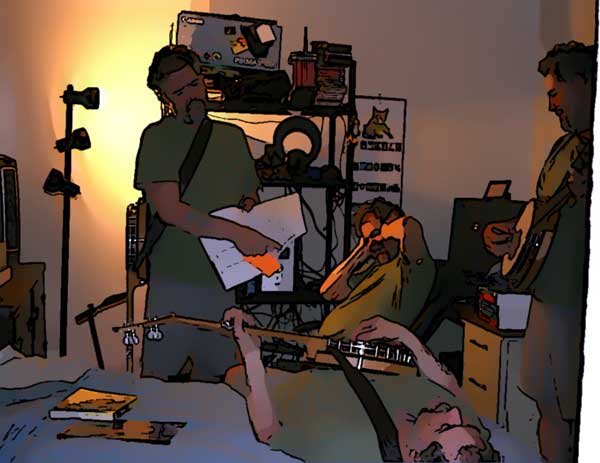
A few days ago, I received a great email from a new customer named Mark Edwards. He wrote us a nice note about his purchase of ToonIt! Photo, which is our Adobe Photoshop cartooning plugin, and attached some images to his email.

Mark said, “Thanks for the cool tool. After only a few minutes of playing around with it, I decided to buy it (original and toonit versions of one picture attached). Love it!”

Mark’s ToonIt image:

070809_markedwards-toonsm

Professional geeks love ToonIt!